FUNCTIONS
Using the main menu on the left side of the application, the user can navigate directly to the corresponding areas.
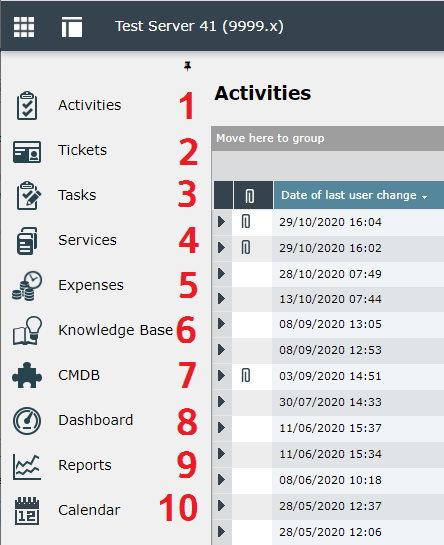
The figure shows the individual functions.
The navigation bar is visible to all users at any time. The visibility of each menu item for users and groups is configurable within Permissions.
Tip:
The possibility of an alternative color schema for the navigation bar is described in the section Master Database.
- Requirements
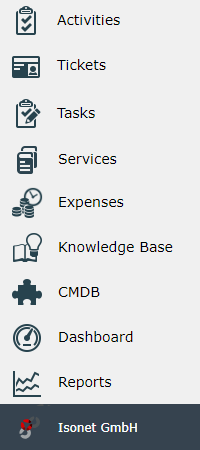
With the navigation extensions you can add your own menu items to the left main menu
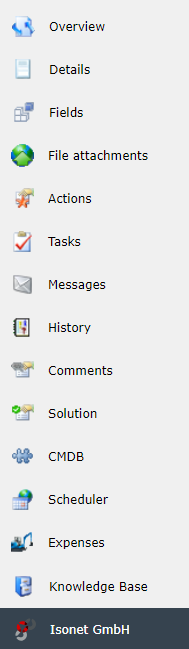
or define your own tabs in the ticket details dialog.
A valid license with the following active license keys is required (see also Table: Features):
- Customization > OEM> EnableTicketTabExtension
- Customization > OEM> EnableMainNavigationExtensions
- Configuration
The configuration of the navigation extensions is done exclusively via the database.
New entry
Master-DB, Table NavigationExtensions
DECLARE @clientObjectGuid AS UNIQUEIDENTIFIER = null
DECLARE @iconUrl NVARCHAR(MAX) = '<<URL to the icon>>'
DECLARE @bigIconUrl NVARCHAR(MAX) = '<<URL to the BigIcon>>'
DECLARE @friendlyName NVARCHAR(MAX) = 'Isonet GmbH'
DECLARE @content AS NVARCHAR(MAX) = '<<HTML content>>'
DECLARE @objectType AS UNIQUEIDENTIFIER = 'dea94077-4eca-412e-8b6d-74b6a373f5ad'
DECLARE @contentType AS NVARCHAR(20) = 'Html'
INSERT INTO NavigationExtensions (ObjectGuid, ClientObjectGuid, FriendlyName, IconUrl, BigIconUrl, Content, NavigationObjectTypeGuid, ContentType)
VALUES (NEWID(), @clientObjectGuid, @friendlyName, @iconUrl, @bigIconUrl, @content, @objectType, @contentType)
@clientObjectGuid: Defines in which client the navigation extension should be displayed. NULL means that it is available in all clients.
@friendlyName: Internal identifier
@iconUrl: The URL to the icon, which is displayed as a small logo in the button or in the ticket details dialog tab.
@bigIconUrl : The URL to the big icon that is displayed at the top of the page. If this hasn't been set, then the @iconUrl is used.
@content : HTML code to be displayed e.g. <html><body>[...]</body></html> , JavaScript for example window.open("[…] ").focus() or directly provide a URL with a link to a website.
Note:
Use "Html" as "ContentType" and HTML code as content for the column for the 446 Plattform. In the 446 PlattformMobil, you specify JavaScript code or a link to a website as value there. Another configuration is invalid and would lead to errors.
@objectType: NavigationObjectTypeGuid defines where the navigation extension should be displayed:
For the classic view of the 446 Plattform you choose one of the following places:
- Main menu left: dea94077-4eca-412e-8b6d-74b6a373f5ad
- Ticket details dialog: b09584b3-3a5e-4739-96eb-6ac5a390af06
For the mobile view of the 446 Plattform you select between the following locations:
Top Menu: 28C99E6F-6183-4915-98B9-73957E93BAA3
User Menu: 0454ADF1-2223-47EC-82DB-A1B94F32CAF8
@contentType: ContentType defines, whether the navigation extension is a link, a script or HTML code itself. Valid, available types are:
Html: This type is only available in the classic view. All tags and also JavaScript will be rendered.
Url: This type is only available in the mobile view. The navigation button will be displayed as link.
Script: This type is only available in the mobile view. Here you insert JavaScript code which is executed when a click is performed on the navigation extension.
Localizations
Master-DB, Table NavigationExtensionsLocalizations
DECLARE @NavigationExtensionId AS INT = 9
DECLARE @Caption AS NVARCHAR(MAX) = 'Isonet GmbH'
DECLARE @Description AS NVARCHAR(MAX) = 'The website of Isonet GmbH'
DECLARE @LanguageObjectGuid AS UNIQUEIDENTIFIER = '5ADEB54B-481B-437B-83E5-94309C2FF137'
INSERT INTO NavigationExtensionsLocalizations (LocalizedObjectDataId, Caption, Description, LanguageObjectGuid) VALUES (@NavigationExtensionId, @Caption, @Description, @LanguageObjectGuid)
@NavigationExtensionId: ID of the previously created navigation extension to which the translation should apply.
@Caption: Title of the button and the ticket details dialog tab. Is also displayed in the header on the page to be loaded.
@Description: Description of the extension, is currently not used.
@LanguageObjectGuid: Defines the language to which the translation applies. All defined languages can be found in the dbo.Languages table, the respective client database.
Ticket schema assignment
For extensions of the ticket detail dialog tabs (Navigations Extensions with the ObjectType b09584b3-3a5e-4739-96eb-6ac5a390af06) the assignment to the ticket schemas where it should be displayed still has to be done.
Client-DB, Table TicketTabNavigationExtensions
DECLARE @NavigationExtensionId AS INT = 9
DECLARE @TicketSchema AS UNIQUEIDENTIFIER = 'E988EC22-023B-4BD4-BD52-83E3D4E0EB42'
INSERT INTO TicketTabNavigationExtensions (ObjectGuid, NavigationExtensionDataId, TicketSchemeObjectGuid)
VALUES (NEWID(), @NavigationExtensionId, @TicketSchema)
@NavigationExtensionId: ID of the previously created navigation extension to be assigned to the ticket schema.
@TicketSchema: ObjectGUID of the ticket schema to which the navigation extension should apply.
Example:
In the following example configuration, the navigation of the user menu will be expanded with an additional button so that a click on that button triggers a link to the imprint on https://www.isonet.ch to be opened.
DECLARE @navExtGuid3 AS UNIQUEIDENTIFIER = NEWID()
INSERT INTO NavigationExtensions (ObjectGuid, ClientObjectGuid, FriendlyName, IconUrl, BigIconUrl, Content, NavigationObjectTypeGuid, ContentType)
VALUES (@navExtGuid3, NULL, 'Imprint', 'https://www.isonet.ch/templates/isonet/favicon.ico', '', 'window.open("https://www.isonet.ch/impressum", ''_blank'').focus();', '0454ADF1-2223-47EC-82DB-A1B94F32CAF8', 'Script')
DECLARE @navExtId3 AS INT = (SELECT DataId FROM NavigationExtensions WHERE ObjectGuid = @navExtGuid3)
INSERT INTO NavigationExtensionsLocalizations (LocalizedObjectDataId, LanguageObjectGuid, Caption, Description)
VALUES (@navExtId3, '5ADEB54B-481B-437B-83E5-94309C2FF137', 'Facebook', 'Open Imprint of Isonet')
, (@navExtId3, 'E988EC22-023B-4BD4-BD52-83E3D4E0EB42', 'Imprint', 'Open Imprint of Isonet')
- Display
After clicking on the navigation extension in the main menu or in the ticket detail dialog the entered content is loaded in the right window. A header consisting of BigIconUrl and the localized title of the extension is added automatically.
Below that in the main area the rendered HTML content is displayed.
Note:
To avoid adding the header automatically and to display a page in full screen mode, the target page of the right frame can be changed using Javascript. For this purpose the following Javascript is configured as content:
<script>window.location.href="{{URL to the desired page}}"</script>
- Permission
The individual permissions can be configured under SETTINGS > User Management > Permissions.
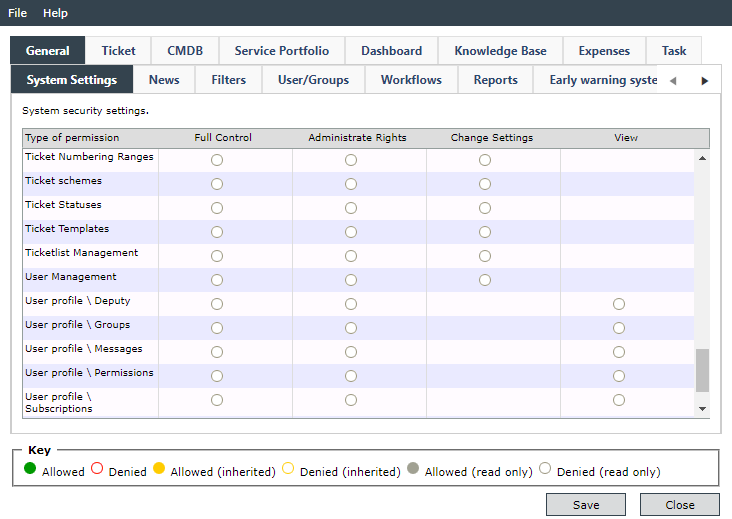
The permissions for the menu items in the left main menu are set under General > System Settings > User Management:
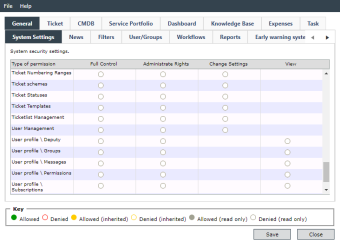
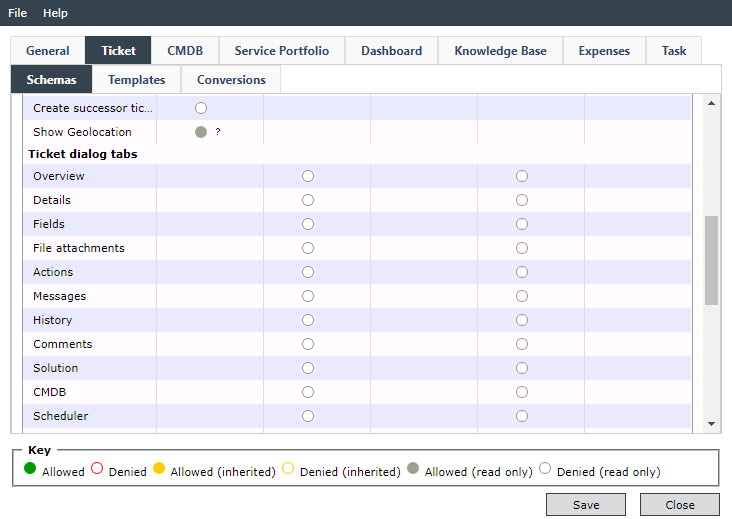
The permissions for the additional tabs in the ticket details dialog are set under Ticket > Schemas > Ticket dialog tabs:
Chapters:


 Copyright (c) 2000-2026 Isonet AG