Security
Information on the safe operation of the 446 Plattform
Note:
In general, it is important to note that log files at the DEBUG level may contain passwords and other sensitive information.
Installation
- Windows services
All Windows services on the 446 Plattform should be run using a group-managed service account. For information about these accounts, see Group Managed Service Accounts overview.
See Installations.
The IIS application pool and the database server services should also be run using a group-managed service account.
Then, the connection strings for connecting to the database server can be configured using Integrated Security. See also item 3. Master Data under Application.
- Encryption of the database connection
The database connection can be encrypted. To do this, you must configure a certificate on the server and modify the connection strings. For more information, see Encrypt connections to SQL Server by importing a certificate and “Connection string syntax”.
- Enable SSL
Enable SSL encryption for the website. To do this, you must modify the web.config file. Afterward, you should restart the web service.
The following two sections of the web.config file require adjustments to the requireSSL option:
Copy<authentication mode="Forms">
<!--SET requireSSL to false, if no https is used -->
<!--For SSO/SAML cookieSameSite needs to be set to "Lax" otherwise opening the plattform from an external site will always redirect to the login page-->
<forms loginUrl="WinLogin.aspx" timeout="2880" cookieless="UseCookies" requireSSL="true" cookieSameSite="Lax" slidingExpiration="true" />
</authentication>Copy<!--SET requireSSL to false, if no https is used -->
<!--"SameSite" should be set to the same value as the other cookie settings (session and forms). For SSO/SAML we need within the authentication "Lax", therefore we use here also "Lax".
"Strict" would be more secure, but it might result in loosing the information stored within the cookies, when accessing the plattform from an external site (SAML, OAuth, integrated external sites, opening the plattform from extern,...)-->
<httpCookies sameSite="Lax" requireSSL="true" httpOnlyCookies="true"/>
Application
- Groups & Users
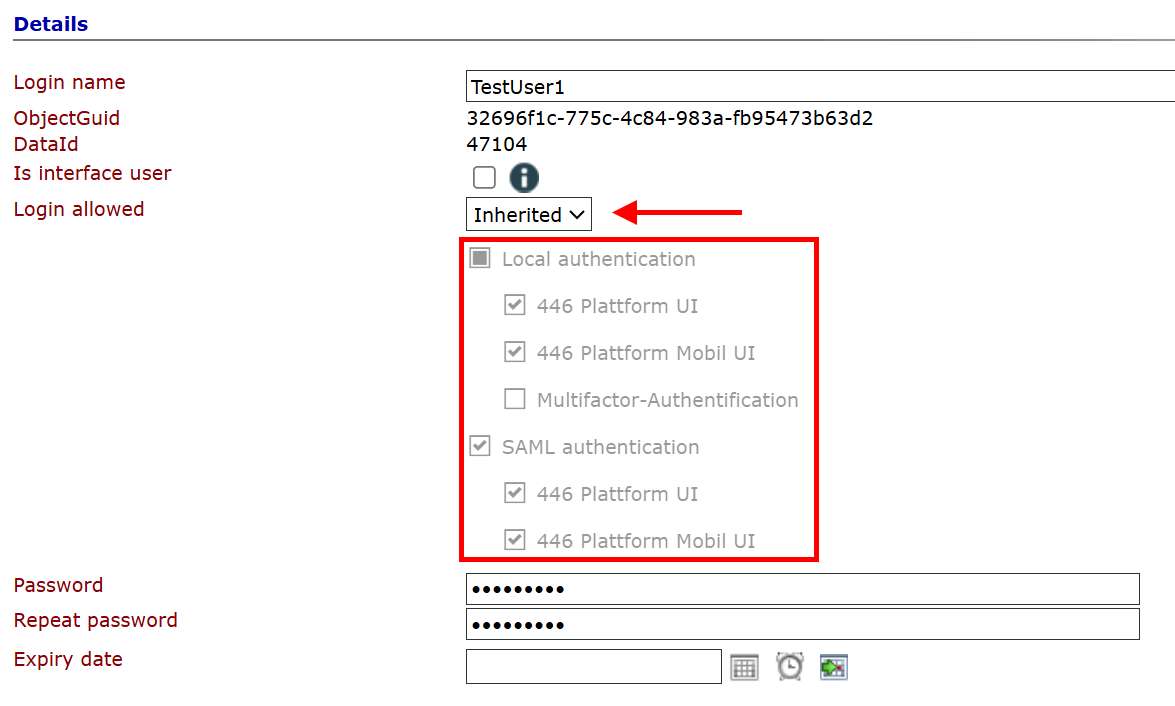
In general, you can enable and disable groups and users for the various authentication methods (legacy or mobile UI, SAML).
Multi-factor authentication (MFA) can be enforced on a per-group or per-user basis. When MFA is enabled for a group, it is inherited by all child objects by default, meaning it is applied to them as well.
In particular, for users created by Mail2Ticket, the login should be disabled by default.
For users who are designated exclusively for interfaces, the “Is Interface User” checkbox should be selected. This prevents the user from logging in via the interface.
Permissions should be granted sparingly. Keep in mind that permissions granted to groups always apply to all processes.
Administrators and process users should always be kept separate.
See Groups & Users.
- Security Policies
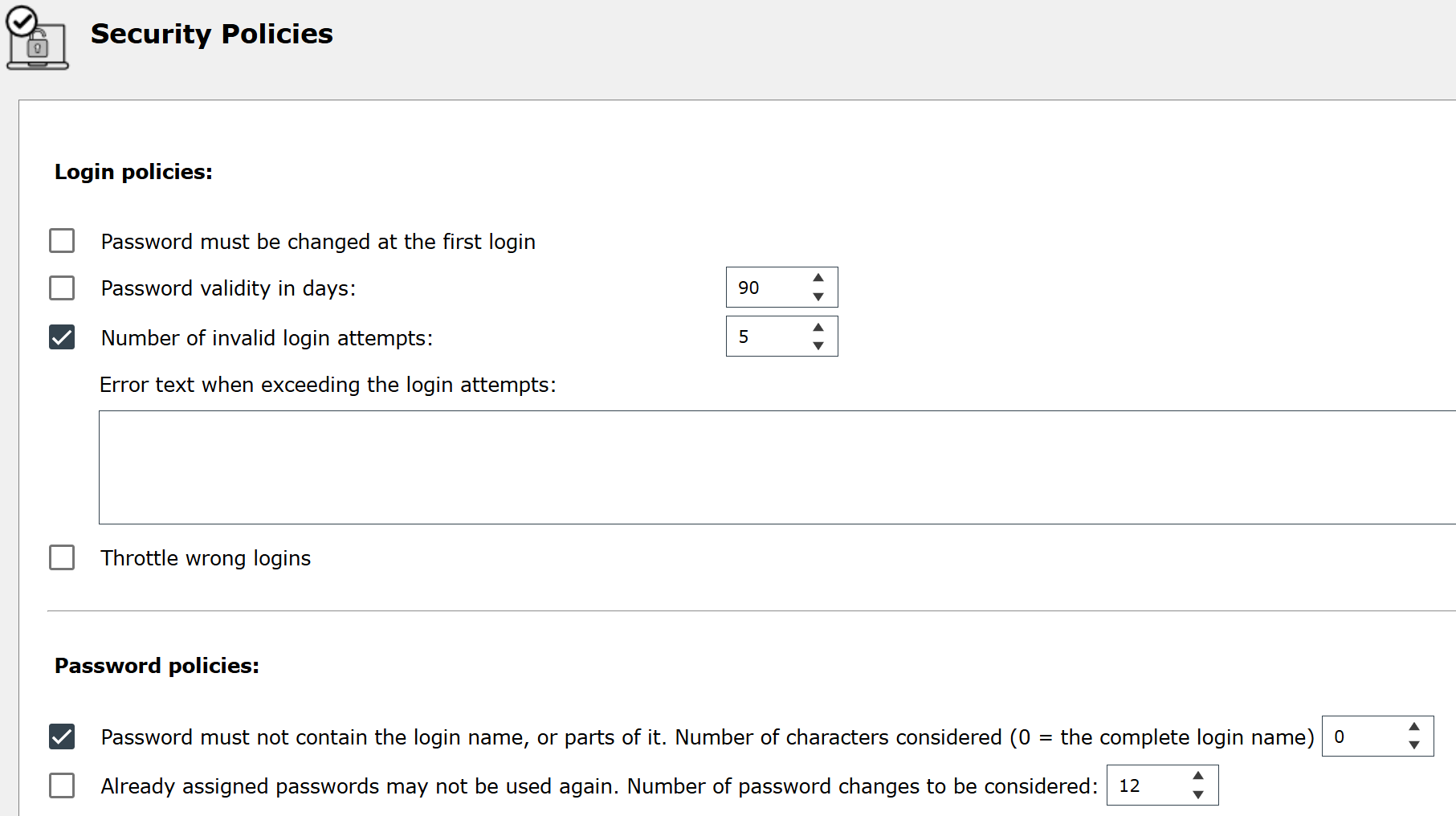
The login and password policies should be followed and provide many security features (e.g., limiting access after a certain number of invalid login attempts, or ensuring that the password does not contain the username).
See Security Policies.
- Master Data (Interfaces to external applications, connection strings, etc.)
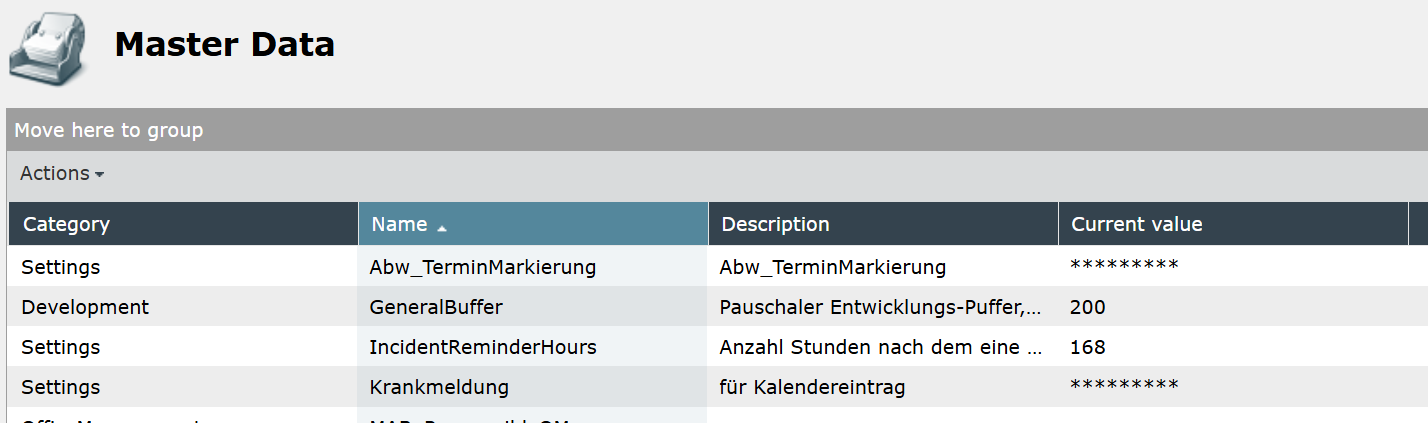
For all security-related interface data (connection strings, interface credentials, etc.), the master data should be used and marked with the “hidden” attribute. These can then be used in various places throughout the system via expressions.
See Master Data.
- Apps
Configure an app in the 446 for each external application that accesses it. This way, if the access credentials are compromised, the app can be deactivated or a new key can be generated without affecting the others.
See Apps registration.
- Tickets
Using the “Internal/External” setting in the ticket schema settings ensures that external users cannot view internal activities. Another way to restrict visibility is through the configuration of ticket and user actions.
Siehe Ticket Schemas and Ticket Actions.
- Dateiupload
It is recommended that you restrict file uploads to specific file types. This helps prevent files containing malicious content from being uploaded to the system. You can configure this in the system settings (Settings > Administration > Configuration settings).
See FileUploadFilter.
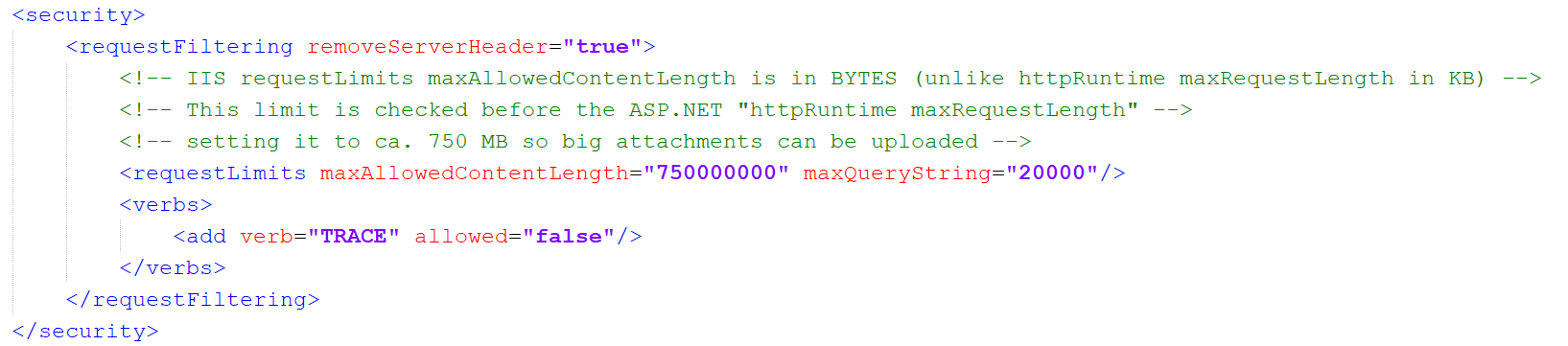
It is also recommended to limit the file size that can be uploaded (maxAllowedContentLength). This is specified in the web.config file for the main web site and for the WebAPI.


 Copyright (c) 2000-2026 Isonet AG