Error
The 446 Plattform® was tested before release and delivery and checked for possible operating errors. For Web-based client/server applications, hassle-free work depends not least on the right network and browser configuration.
Further support is available in addition to this help via the Technical Support (see Contact).
Short instruction
Chapters:
If an exception error in the application occurs, a configured dialogue appears that displays the most important information on the exception. The log file can be downloaded in order to be used for a further analysis or to be attached to an e-mail that can be forwarded to our service desk. Whether the download of the log file is limited to administrators only or free for all users can be altered with the key 'EnableLogDownloadOnErrorForAllUsers' within the Table: Configuration Settings - System .
In the following illustration the error is shown to the user. He has no permission to download the log file or to run a system check.

The example below enables the administrator to download the log file via the button in the center. The lower button is used to display the System Check page.


|
Download the log file |

|
Displaying the System Check page (only for users with administrator rights) |
The configuration of the error pages is done within the 'CustomError' class of the 'System.Web.Configuration' ('Web.config'). In case of an exception the exception details are no more displayed to the user. Instead a default configured HTML page is shown, which is adjustable by system administrators at their own will. For example if an error occurs you are able to alter the redirect to another path or directory within your project or create individual error pages for each error message.
| Error | Solution |
|---|---|
| The system has been restarted and no user can log on. | The Security Manager service must be started and maintenance mode disabled. Since the manager must first build its cache, this can take a few minutes. Try again after a wait. |
| The login name is invalid or the password is incorrect. | If your password is incorrect or forgotten, click on Forgot password? on the login page and wait for an e-mail with a new password. The option Enable forgot password must be set. Otherwise, the administrator must be informed. |
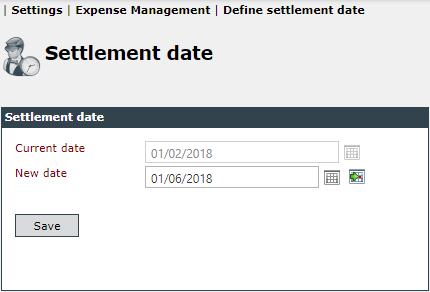
| Expenses cannot be posted. | Possible causes:
|
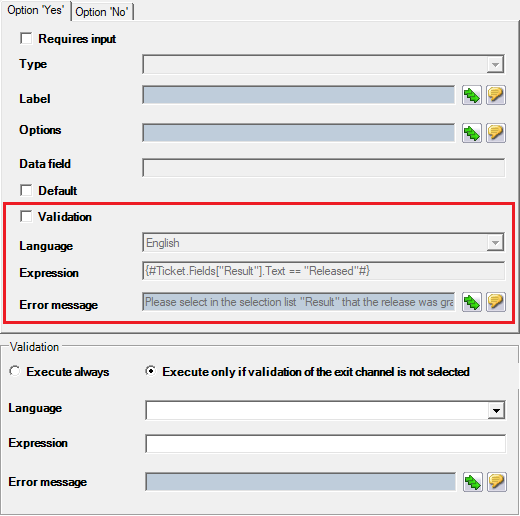
| A workflow activity cannot be executed. An error message is displayed. | Validation is active in the plug-in for the workflow activity in which the ticket is currently located. Warning: A validation is also applied if it is not activated. The validation expression must be removed from the plug-in.
|
| Search templates have been configured for a group with permission to use. However, group members cannot see or use the search templates. | Check whether the permission configuration was actually saved. If the search templates are still not usable, make sure that search templates cannot be used until the advanced search can be used. Search templates of a certain type (KB article, ticket) also require permission to use the advanced search for this type (see also SETTINGS > User Management > Permissions). |
| Error | Solution |
|---|---|
| No new ticket can be created with an existing ticket scheme. | When creating a new ticket schema, make sure that the option Is process schema is deactivated (default setting is activated). This option cannot be changed afterwards. Process templates are required for service transactions. Another reason could be that the user does not have the appropriate permissions. |
| The assignment of tickets to groups or the assignment of activities does not work. | It should be checked that the groups also contain group members. |
| No tickets are displayed in the ticket list. | Possible causes:
|
| There are several workflow activities for a ticket. | Possible causes:
|
| When opening the Actions tab in the ticket dialog (for configured actions Edit ticket wizard section and/or Edit ticket wizard page) an error message appears. | When a ticket is created, the structure of the form is linked to the ticket at this point. If a section and a ticket action is subsequently configured, this new section is not stored in the old ticket. The ticket action cannot find the new section. Recommendation for administrators: The plug-in Set TicketCreationPipe updates the wizard. A global event workflow should be created that contains only this plug-in. With the Extended search, old tickets can be searched for a change and integrated into this workflow using batch processing. |
| Some ticket fields that should be automatically updated after a workflow activity are not updated or empty. | The form has not yet been updated:
|
| Error | Solution |
|---|---|
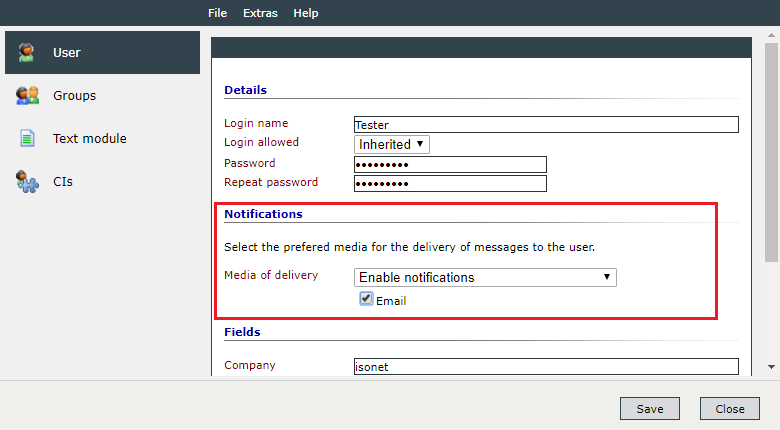
| The user does not receive any notifications. | Make sure that the notifications are activated for the user and that a deliverer is assigned to him. This setting is made in User Management.
Note: If the system is running in debug mode, all messages are sent to a defined address. |
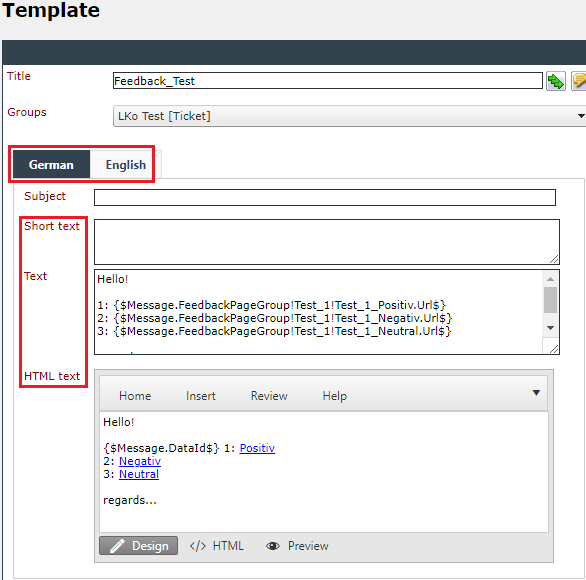
| The user receives an e-mail (or SMS) without content. | Possible causes:
|
| Push notifications are not displayed. | Possible causes:
|
| Error | Solution |
|---|---|
| No data is displayed in the Dashboard widget. | The following permissions are required for this:
|
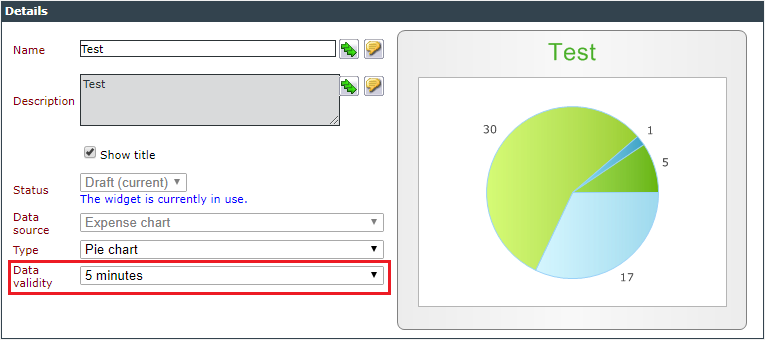
| If the data basis changes, the Refresh button on the dashboard page does not update the widgets. | The Refresh button only loads the widget itself. The data is updated according to the setting in the Data validity.
|
| Error | Solution |
|---|---|
| All required rights for the Knowledge Base have been assigned and still no article can be created. |
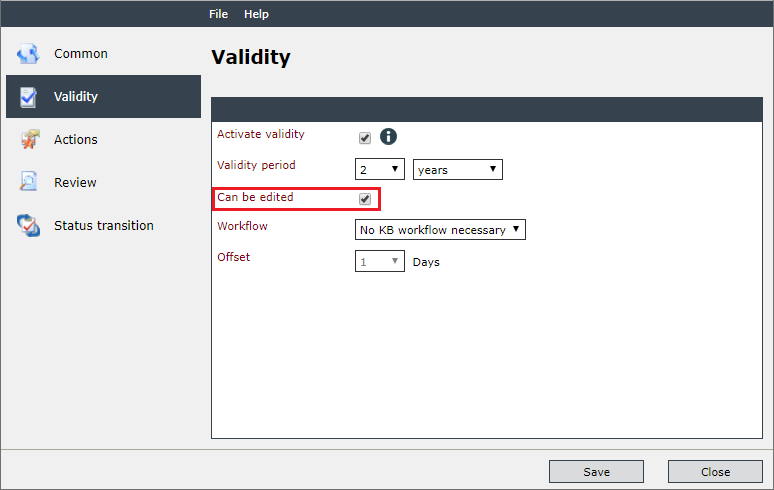
In the template for the KB article, the Can be edited for Draft status option must also be activated (Validity tab).
|


 Copyright (c) 2000-2026 Isonet AG