Transport Manager
Using the Transport Manager, which provides the functions required for import and export, you can transport all configuration data and configuration element movement data between two instances or clients, for example, production and test systems. This identifies interdependent data and makes it available in a consistent XML transport archive. This ensures that the configuration data can be exchanged between multiple instances without great effort in terms of personnel and time.
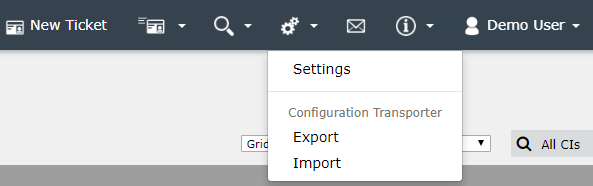
The Transport Manager (TM) does not require a separate configuration. As soon as it has been activated on a system, it can be used immediately. The export and import options can be accessed from the top menu under Configuration Transporter. You can use the two buttons to create and export transport packages or import them back to the target system later.
Note:
The transport manager is only visible to users who are members of the root administrator group.
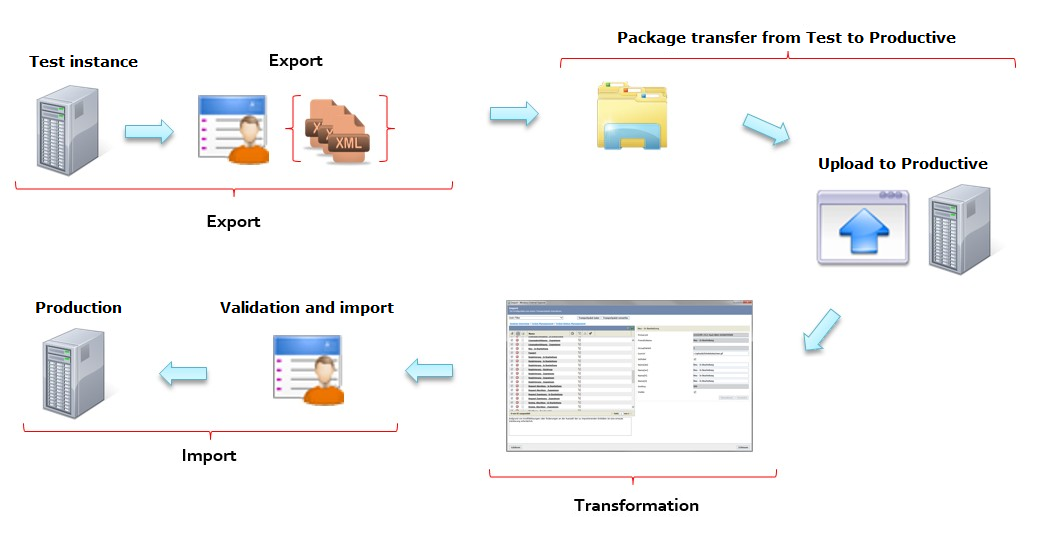
The following overview illustrates how the TM transfers a change from a test system to a production system:
Warning:
An external database backup must be performed before the import.
Before using the Transport Manager, you must check whether it is possible to transport the required configuration. You should pay particular attention to the following points:
-
The general option of transporting the data must be available.
-
Dependencies of the data to be transported must be taken into account.
-
Workflow plug-ins cannot be transferred individually; the entire workflow is always transported.
-
Fields of the Ticket Wizard are only transferred completely.
Tip:
The overview of data that is not to be transported lists all data that cannot be transported.
Note:
The automatically selected entities must be checked to ensure that unfinished configurations are not transferred. For example, if two changes are made to a workflow in parallel, the workflow should not be transferred until both have been completed.
Chapters:


 Copyright (c) 2000-2026 Isonet AG