Early Warning System
Via the early warning system, rules can be created that allow for sending e-mail notifications to certain users automatically in order to inform them about a tendency within the ticket creation, for example.
On the one hand, it is possible to create early warning rules monitoring the ticket creation in the background and triggering an early warning workflow as soon as a certain number of tickets on a particular topic has been created.
On the other hand, early warning rules can also be created as templates individual users can subscribe to and personalize in order receive prompt notification e-mails.
However, other workflow plug-ins can be also used in early warning workflows, which can only be addressed via the early warning system.
General
The early warning system allows for detecting early on that many tickets on a specified topic have been created within a certain time period, for example. Thus, countermeasures in order to ensure compliance with the Service Level Agreements can be taken early on as well.
Warning rules configured in the early warning system can be subscribed to by users in their user settings, provided that they have been configured as a template, and then can be customized individually.
Whenever the conditions of an early warning rule are fulfilled, a particular early warning workflow is triggered, which sends an e-mail to every subscriber or a predefined person, for example.
The management of the early warning system can be found under Settings > Service Level Management > Early Warning System.
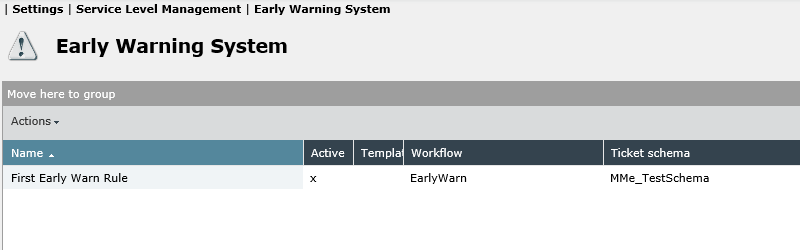
Creating New Rules
The New rule button for creating new rules can be found top right. The following dialog allows for defining the details for the new early warning rule as well as the conditions that have to be met.
Details
General information on the warning rule can be defined on the Details tab. The dialog here is divided into the two arrays Basic specification and Time frame.
Basic Specifications
Various general specifications for the early warning rule can be made here.
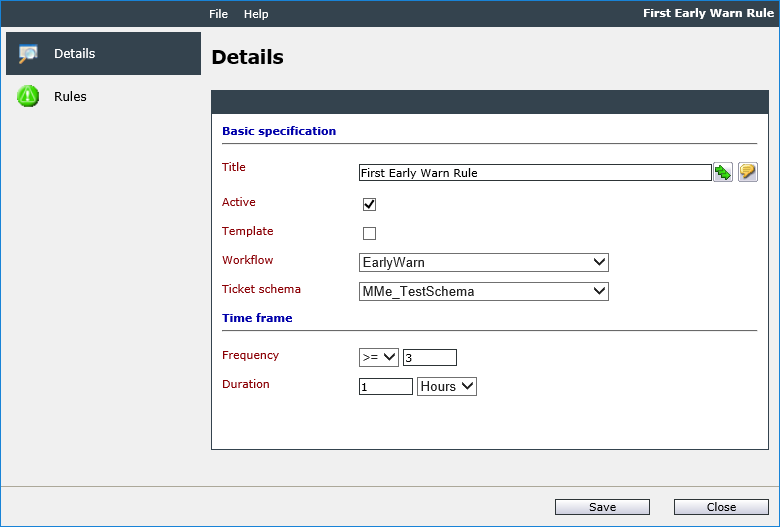
Title: Defines the name of the new rule. If multiple languages are available, an individual name can be entered for every language.
Active: As soon as the rule has been configured completely and is needed, this checkbox can be enabled. The early warning rule will then be applied by the system.
Template: If this option has been activated, the early warning is available as a template. Users can subscribe to it and customize it individually, as soon as they are assigned with the access rights for this rule in the User Management (see also Related Topics).
Further affected user: This checkbox defines whether users are added to the respective tickets as further affected users as soon as they subscribe to the rule.
Workflow: An already created early warning workflow has to be specified here.
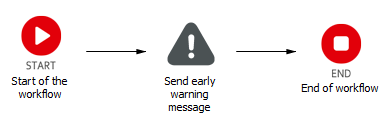
Early warning workflows require special early warning workflow plug-ins. Additional information can be found in the Workflow Designer documentation. The early warning workflow should contain either the plug-in Send message or Send early warning message, via which an e-mail can be sent using a specific message template (message schema).
The simplest early warning workflow possible:
Ticket schema: The ticket schema the early warning rule is to be valid for is specified here.
Time Frame
In the Time frame array, the frequency (the number of tickets) and the time period, in which the tickets need to be created for the rule to apply, have to be defined.
Frequency: The number of tickets is specified here. Available options are: Equals, Greater than/equals, and Greater than. The ticket quantity has to be entered in the next field.
Duration: The time period the tickets have to be created in has to be entered here.
Rules
On the Rules tab, additional rules are set, which have to be fulfilled for the early warning rule to be seen as fulfilled and a message to be sent.
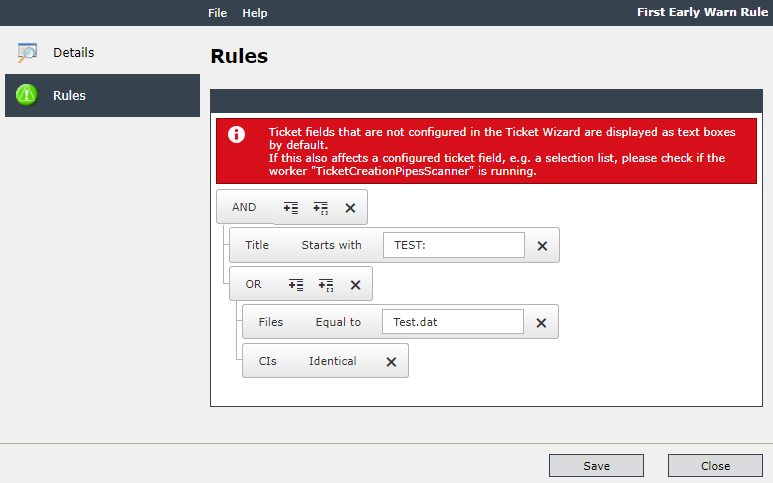
For this purpose, ticket fields have to be selected as well as a logical operator and a required field value for the ticket field.
Only ticket fields of the previously selected ticket schema will be displayed here. If an early warning rule is supposed to be valid for multiple ticket schemas, the configured rule can be simply copied and customized for the respective other ticket schemas subsequently.
Options for groups:
AND: An AND operation of the query can be added.
OR: An OR operation of the query can be added.
Options for expressions/fields:
Equal: The value in the Ticket field must correspond exactly to the Field value entered for the rule to be fulfilled.
Identical: The tickets with identical values in the selected Ticket field are compared with each other.
Starts with: The value of the Ticket field must begin with the entered Field value.
After the early warning rule has been completed, activated, and subscribed to by users, it will be triggered automatically as soon as the entered values have been reached. For example, if a specified amount of tickets on one topic has been received, an e-mail will be sent automatically to all users having subscribed to the early warning rule.
Configuration Example
The following section will exemplify the creation of a simple early warning rule as template. A message will be sent automatically as soon as one ticket per hour has been created for a customer. Here, every user that has subscribed to the rule can select individually, for which customer a ticket has to be created for the rule to apply and a notification to be sent.
1. Preparation
The following items have to be already available and/or configured in order to be able to create an early warning rule:
-
A ticket schema the early warning rule can be applied to.
-
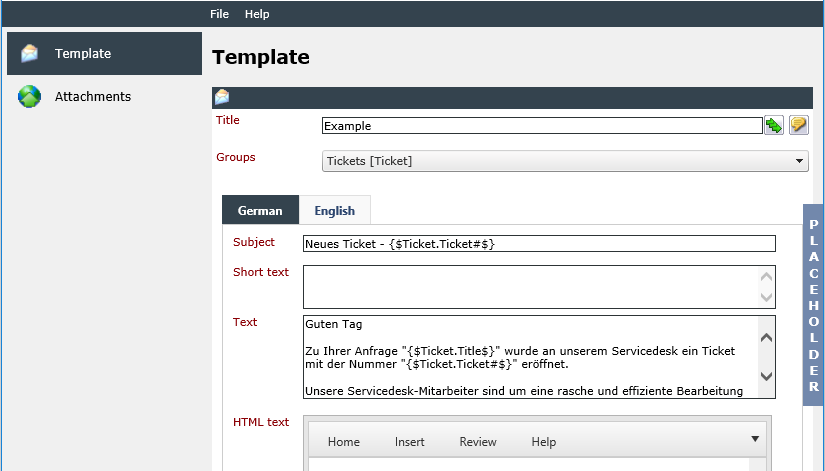
A message template of the type Early warning system.
-
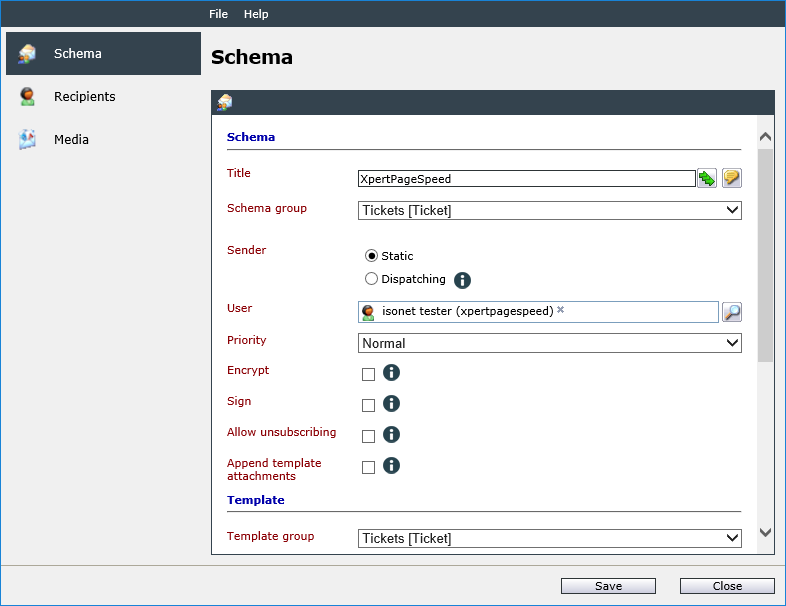
A messaging schema of the type Early warning system, in which the message template is integrated. It is advisable to have selected Subscriber as a recipient.
-
A workflow of the type Early warning workflow containing a plug-in, which can send a message via the messaging schema.
2. Configuring the Early Warning Rule
A new early warning rule can now be created via the early warning stage. Users are supposed to be able to use the rule as a template later on. Thus, the option Template is enabled. As the rule is not completed yet, it remains disabled for the moment.
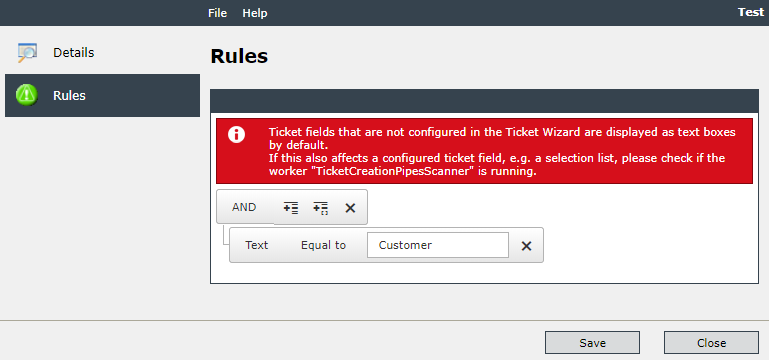
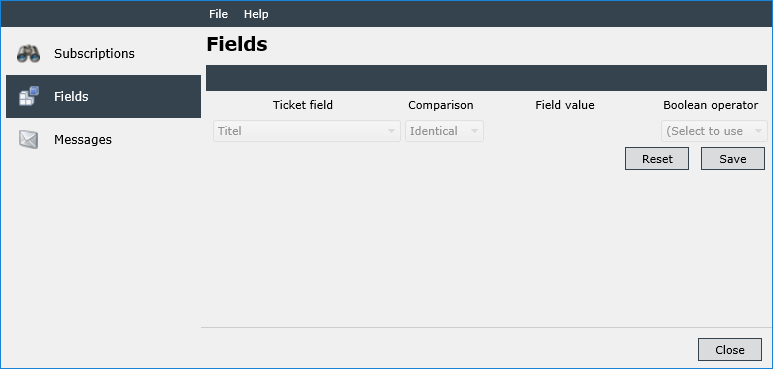
Next, a simple rule is configured, in which only one ticket field containing the client’s name is to be evaluated. As the rule is intended as template, the field value is not specified and thus can be filled in by each user individually.
The early warning rule can be customized later on, if the field value has not been specified.
After the rule has been completed, it can, after a click on Save, be marked as active and then saved once more.
In the next step, the permission for using the early warning rule has to be set.
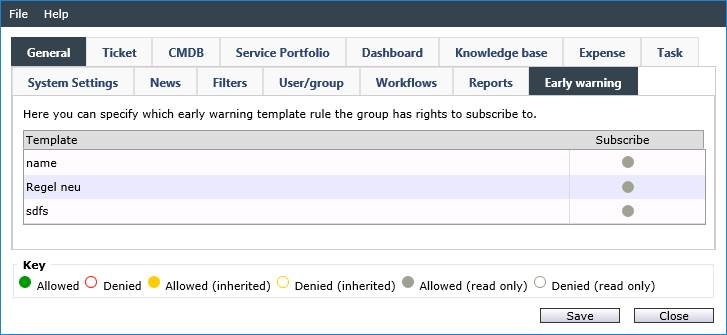
Now, the rule can be used by every user of the groups that have been granted the permission for the use of the early warning rule.
Via the user settings, the early warning rule can be now subscribed to.
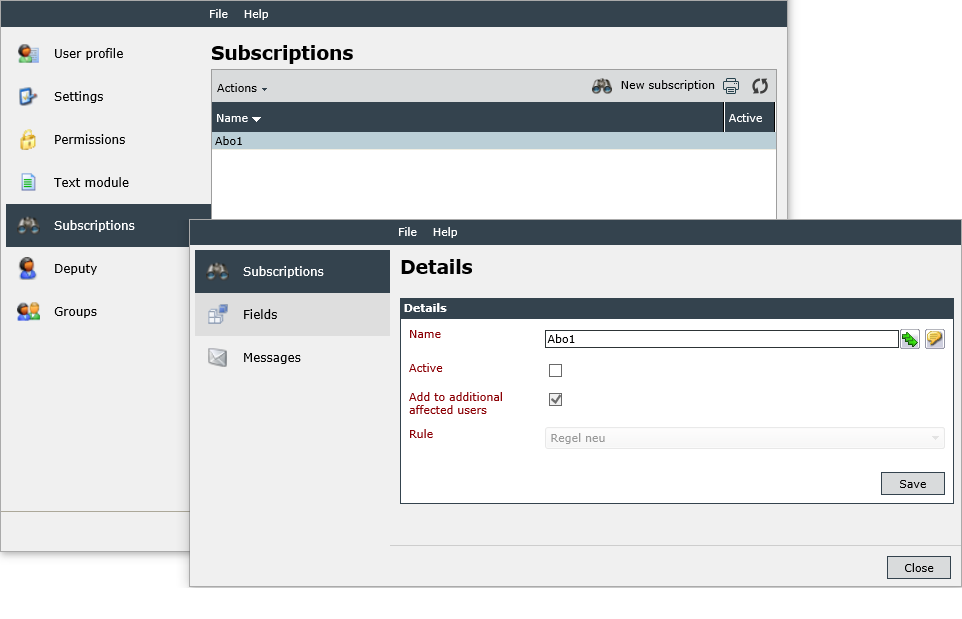
As soon as the subscription is saved, the template can be customized by every user individually.


 Copyright (c) 2000-2026 Isonet AG