Permissions - Expense
Projects
On this tab, the permissions for projects of the Expense Management can be configured. Whenever permissions are changed in the table header, this will only apply to new projects. Via a double click on the respective permission, it can be applied to all existing projects.
Administrate Rights/Full Control: See General
Edit: If projects are visible in the settings, the respective projects can be edited there as well.
View: The specific project is visible and usable during the expense creation as well as in the extended search.
Warning:
For projects to be displayed, the right Change settings or higher has to be set to Allowed for Projects in the System Settings. Otherwise, the changes will not have any impact on the user group.
Types
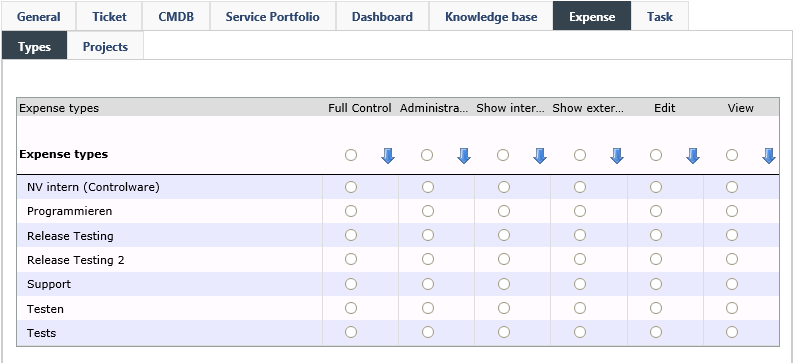
This tab allows for configuring the permissions to expense types of the Expense Management. Permissions can be configured for individual expense types or for templates. These rights will the be applied to newly created expense types automatically, but will not have any impact on existing ones. Via a double click on a permission for templates, it will be applied to all existing expense types automatically.
Administrate Rights/Full control: See General
Edit: The expense type can be configured in the Expense Management.
View: The respective expense type is displayed and can be selected during expense creation.
Show external expense: Shows expenses that have been booked externally.
Show internal expense: Shows expenses that have been booked internally.
Warning:
For expense types to be displayed, the right Change settings or higher has to be set to Allowed for Expense types in the System Settings. Otherwise, the changes will not have any impact on the user group.


 Copyright (c) 2000-2026 Isonet AG