Searching in Tickets
There are several ways to limit the number of tickets on the ticket list. All are located in the filter control, which is located on the right above the ticket list. With a click on it it opens and different possibilities can be selected or combined.
Quick filter
Some defined filters are located in the upper area of the filter control.
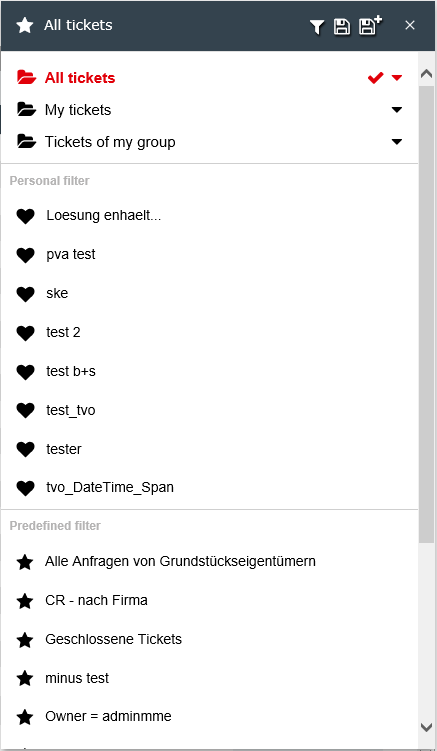
The filter folders All tickets, My tickets and Tickets of my groups are predefined and are available to every user. The arrow on the right side can be used to display further layers, if more are available. Each hierarchy step downwards further restricts the selection of the tickets.
Below All tickets there is also the filter As Deputy Edited Tickets.
The content of the My Tickets folder is defined by the personal user settings. Below are the folders Watched tickets and Processed tickets.
The My Tickets folder lists all the groups where you are a member and have the permission to see tickets in this group.
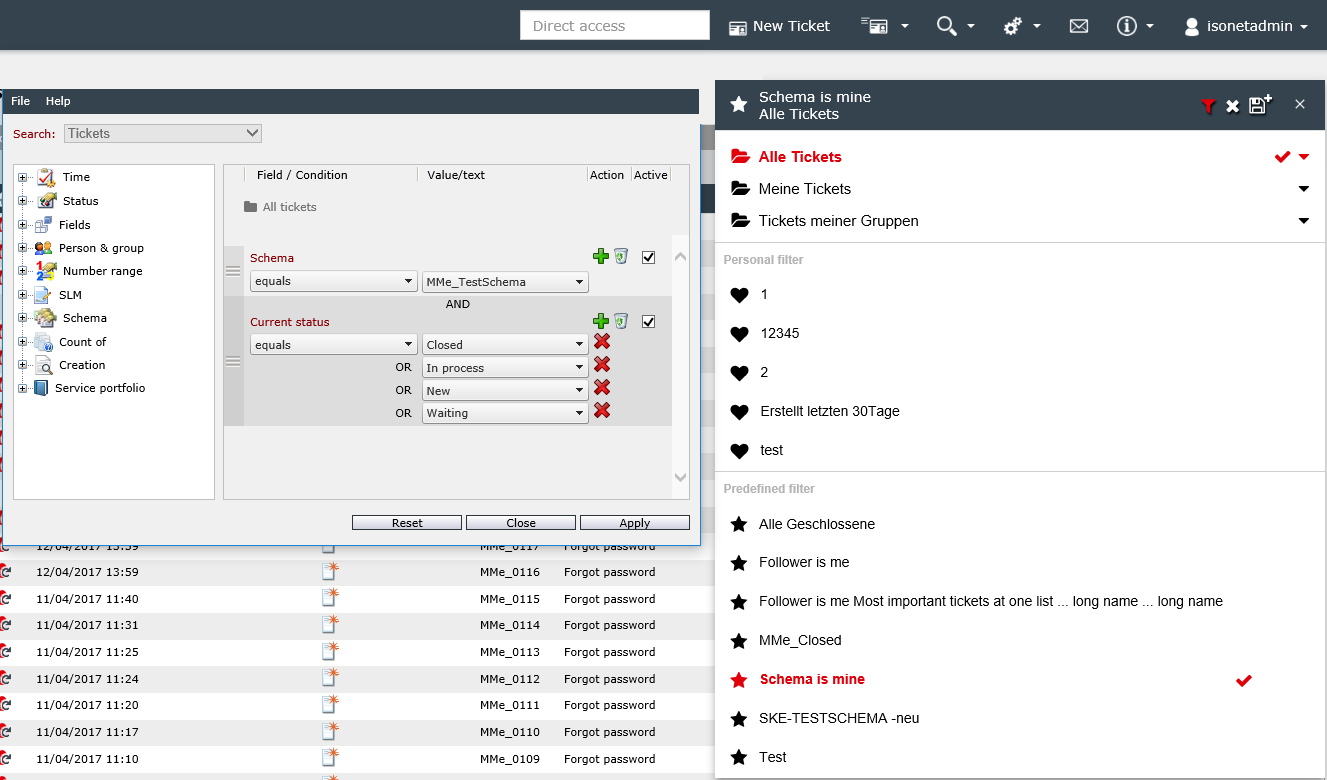
The currently selected filter can be adapted via the funnel symbol. When you click on it, the advanced search dialog opens to configure the filter. The criteria of the selected filter are automatically displayed in the dialog already preconfigured and can be changed or deactivated there. New filter criteria can also be added.
If a filter has been adapted, it can be saved. There are two possibilities:
-
If it is a personal filter, the currently selected filter can be overwritten (disk icon) or saved as a new filter (disk icon with plus).
-
If the filter can not be overwritten (this includes the predefined filter folders and globally defined filters), the adjusted filter settings can only be saved as a new filter (disk icon with plus).
A filter can be reset by clicking on the red cross. This does not delete the filter, only the filter criteria are removed from the ticket list and all tickets are displayed again. The red cross is displayed only if a personal or a predefined filter has been selected.
Personal Filters
The Personal Filters category lists all the filters that the logged in user has configured and saved. See also Extended Search.
Predefined Filters
The Predefined Filters category displays filters that have been preconfigured in the system - e.g. by administrators. These filters can not be overwritten. However, as shown in the figure above, a change can be saved as a new personal filter.
Favorites
The Favorites section contains all filters that have been marked as favorites. To mark a filter as a favorite, click the icon next to the filter's name. It will then be marked as a favorite immediately, added to the corresponding section, and the icon next to its name will be highlighted.
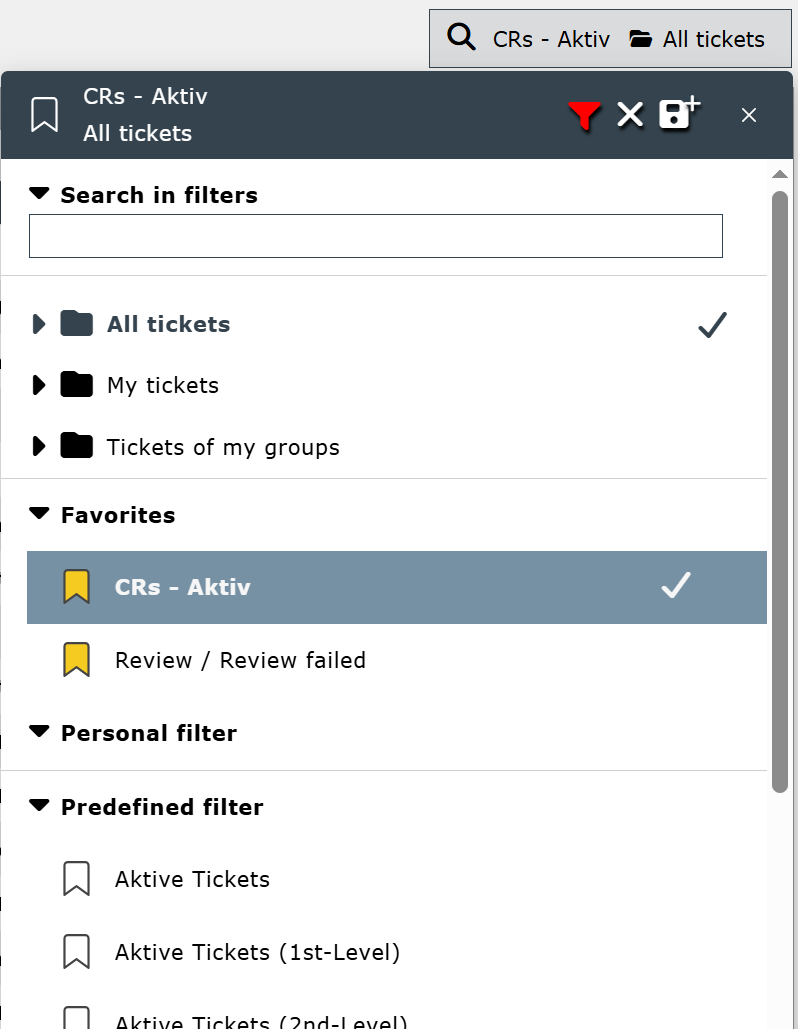
To remove a favorite from the list, click the colored icon next to the name.


 Copyright (c) 2000-2026 Isonet AG