External login page
The external login enables single sign-on over a different domain than the domain of the 446 Plattform®.
Installation
- Requirements
- An installed .NET framework version 4.7.2 or higher (4.8 from
)
- Entry of the host name for the external login page in the DNS
- An Internet Information Server (IIS) Version 8.0 or higher
- The token generator must be activated for the client (Administration > Configuration settings > ActivateSecurityTokenGenerator = True)
- Users must be available via an LDAP import.
- Creating a website
The files are located in the 446 Plattform® installation package in the subfolder TxpExternalLoginPage. There is a reference configuration file Web.config for this purpose.
The IIS Manager is opened from the Control Panel.
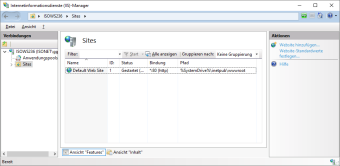
A right click on Sites opens the context menu and Add Website is selected. In the window that opens, the configurations must be made according to the installation:
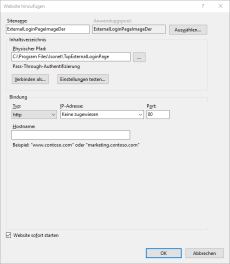


- Configuration of the login page
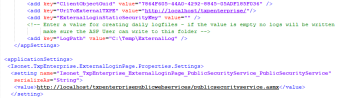
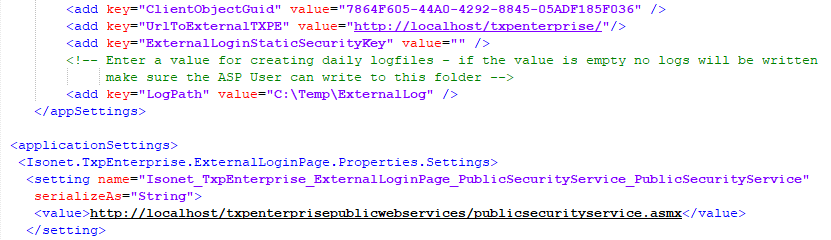
The Web.config file, located in the directory where the application was installed, must be modified:
ClientObjectGuid: Available from the master database (Clients table)
UrlToExternalTXPE: - URL of the 446 Plattform®
ExternalLoginStaticSecurityKey: Available from the master database (table GlobalConfiguration)
value: Link to the PublicWebServices of the 446 Plattform®
Authentication process
- The client authenticates itself at the external login page in IIS (e.g. via Windows authentication).
- The external login page forwards this request to the web server that hosts the 446 Plattform® PublicWebServices. There it is checked whether this user exists.
- The server returns a token that contains the result of the check (positive or negative).
- If the authentication is successful, the 446 Plattform® page is called.
- If automatic authentication fails for any reason, the 446 Plattform® login page will be displayed and the user will be able to log in manually.
- The customer's users must be present in the 446 Plattform® so that they can be authenticated. The SecurityManager must therefore be given LDAP access for importing (reading) the customer.

Note:
All connections between the customer and the service provider should be encrypted for security reasons.


 Copyright (c) 2000-2026 Isonet AG