Settlement date
The 446 Plattform® provides the possibility to lock settlement dates, which prevents bookings for past periods and modifications of existing bookings in this period.
The configuration dialog is to be found under Settings > Expense Management > Define settlement date.
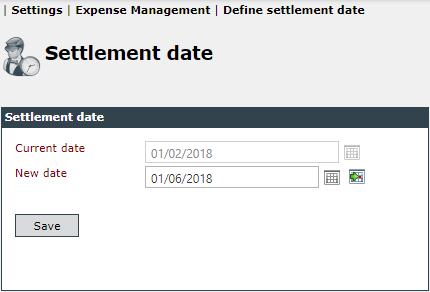
The upper date field (Current date) displays the settlement date from which expenses may be booked or subsequently edited.
In the date field below (New date), you can enter a new settlement date and transfer it by choosing Save. After this date, no services can be edited or created that lie before this date.


 Copyright (c) 2000-2026 Isonet AG