Permissions - Service Portfolio
Portfolio
Permissions to the Service Portfolio can be assigned here. This option, however, is only available for service catalogs, services, service categories, and service actions that have been already configured.
Warning:
Whenever a permission is assigned to an object with further sub-items, this permission will be passed onto these sub-items as well.
On the left, the current tree structure of the Service Portfolio with all currently available items is displayed.
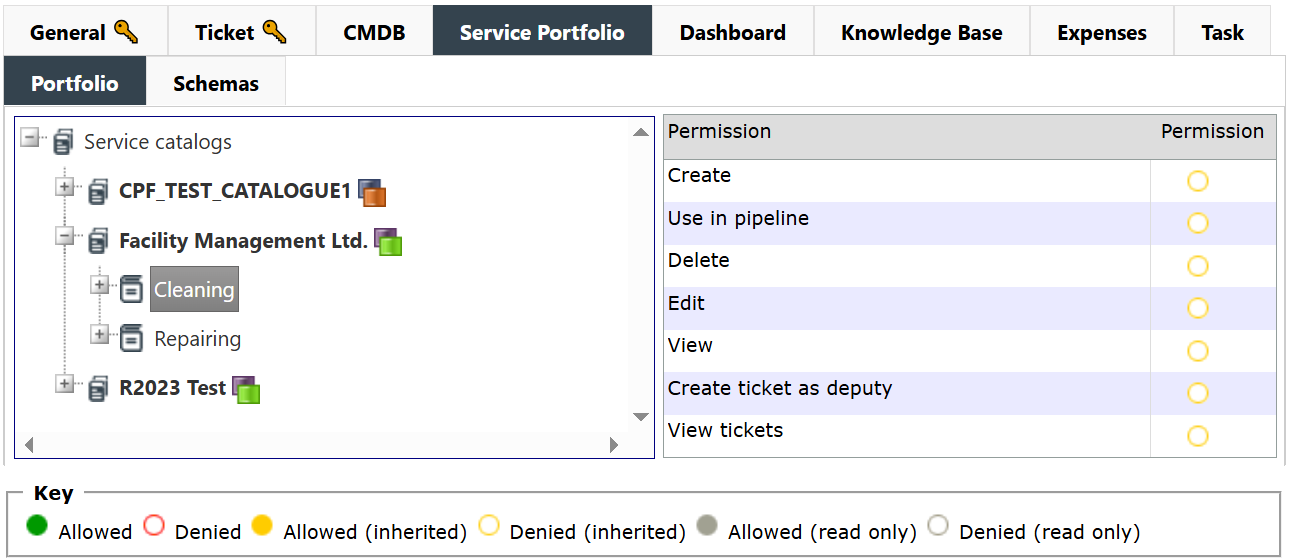
For the root item Service catalogs only the permission Create is available. Via this permission, further portfolio items can be created below this item by the currently selected group.
For all the other objects below this root item, the following permissions are available:
Create: If this permission has been enabled for a group, its members have the option to create further items below this service item. Exempt from this permission are the service transactions, as they cannot contain any further sub-items.
Use in pipeline: This permission allows for creating tickets for service transactions with the status In pipeline or service transactions contained in an element that currently has this status.
Edit: The respective item can be edited later.
View: The item this permission has been enabled for can be seen by the users of the group.
Delete: The item can be deleted.
Create ticket for affected user: With this right, it is permitted for users to create tickets for an affected user, although they themselves do not have the right to do so (only the affected user).
View tickets: This permission allows users to view the tickets created for the respective item. The permission is inherited (Service Catalog > Service > Service Transaction). Therefore, if the permission is assigned to a service catalog, the user can view the tickets created for the services or service transactions listed under it.
Schemas
On this tab, the permissions for service schemas can be configured.
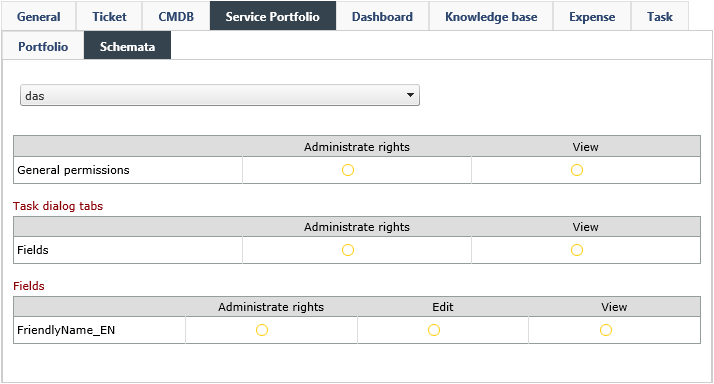
The permissions are subdivided into:
General permissions: If the View right is set to Allowed, each user of a group can see the service schema as long as he can see the configuration page of the service schemas in the settings. Additionally, all services and their sub-items are only displayed and usable in the Service Portfolio, if this permission has been enabled.
Task dialog tabs: The visibility of the service schema tabs can be adjusted here.
Fields: Allows for customizing the visibility of individual, already created dynamic fields in the services, which are linked to the respective schema. The right Change allows for making changes to the service schema configuration as well as to its fields.


 Copyright (c) 2000-2026 Isonet AG