Searching in the Service Portfolio
By using the top filter you can search for different kinds of objects in the Service Portfolio. To use the filter, click in the text line and search for a text component or for a status. If you would like to show only active objects, enter the following text in the text box:
StatusType="In operation"
If you would like to search for contained text, enter the following text:
Text="web site"
If an invalid expression is entered, the text box is colored red. Searching can then only be continued if a valid expression is entered.
If a text to be searched consists of several words, the entire text must be enclosed in quotation marks. If, on the other hand, it consists of only one word, these can also be omitted.
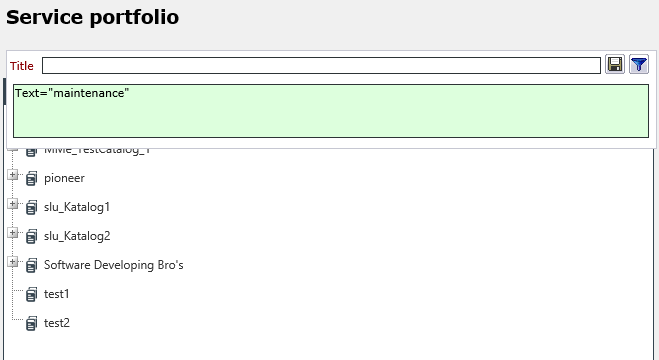
After entering the search expression, click the blue filter button and the search is being started immediately.
To gain further information about this filter control you can click on the help button that is displayed as soon as you click in the text field for the first time.


 Copyright (c) 2000-2026 Isonet AG